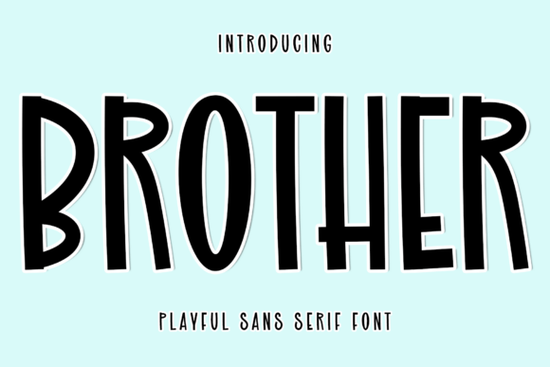
The Brother Font is a handwritten script typeface with smooth, flowing strokes that feel both personal and polished. If you've been searching for a font that works beautifully on wedding invitations, branding materials, or editorial layouts, this one deserves a closer look. It strikes a nice balance between casual elegance and professional refinement something that's surprisingly hard to find in script fonts.
What Makes Brother Font Stand Out From Other Script Fonts?
Plenty of handwritten fonts exist, but many of them either look too messy or too stiff. Brother avoids both extremes. Its letterforms connect naturally, with just enough variation in stroke weight to keep the text looking organic. The swashes and alternates add a refined touch without going over the top.
Here's what makes it a solid pick:
- Smooth, fluid connections between letters that mimic real handwriting
- Alternates and stylistic extras for customizing the look
- Clean readability even at smaller sizes
- Consistent spacing that doesn't require constant kerning adjustments
For anyone who has wrestled with script fonts that look great on display but fall apart in body text, Brother handles both contexts well. It's also worth comparing it against more expressive styles like those in a fancy scribble font collection if you want something with a bolder artistic flair.
Which Projects Work Best With a Handwritten Script Font?
Brother is especially well-suited for projects that need a personal, upscale feel. Think about the kind of work where you want the viewer to feel like the design was crafted with care not mass-produced.
Common use cases include:
- Wedding stationery save-the-dates, invitations, menus, and table numbers
- Event branding bridal showers, milestone birthdays, and anniversary celebrations
- Editorial design magazine signatures, pull quotes, and fashion layouts
- Photography overlays adding elegant text to lifestyle and portrait images
- Small business branding logos, packaging, and thank-you cards for boutique brands
- Print-on-demand products mugs, tote bags, and wall art with an upscale aesthetic
If you're also working on birthday-themed projects, you might find inspiration in a dedicated wedding and birthday font collection that pairs well with scripts like Brother.
How Do You Pair Brother Font With Other Typefaces?
Script fonts rarely work well on their own for an entire design. You almost always need a complementary typeface for supporting text, subheadings, or body copy. Here are a few pairing ideas that work reliably:
- Brother + a clean sans-serif Think Montserrat, Poppins, or Lato. This is the safest, most versatile combination.
- Brother + a geometric serif Fonts like Playfair Display or Cormorant give the layout a editorial, magazine-like quality.
- Brother + a display headline font If you want a bolder contrast, pair it with something from an outline font collection for headings while keeping Brother for accent text.
The key rule: don't pair two script fonts together. It creates visual chaos. Let Brother be the only decorative voice in your layout, and use simpler typefaces to support it.
Can You Use Brother Font for Commercial Projects?
Yes the license available through Creative Fabrica covers both personal and commercial use. This means you can use it on products you sell, client work, and digital downloads without worrying about additional licensing fees. Always double-check the specific license terms before starting a project, but for most use cases print-on-demand, branding, invitations you're covered.
This is especially important for sellers who create products on platforms like Etsy or Shopify. A font that looks great but comes with restrictive licensing can cause real headaches down the road.
What Should You Check Before Buying a Script Font?
Before you commit to any handwritten font, run through this quick checklist:
- Test it at different sizes. Does it stay readable at small dimensions?
- Check the character set. Make sure it includes numbers, punctuation, and multilingual characters if you need them.
- Look at the letter connections. Do the transitions between letters feel natural or forced?
- Review the alternates. Are there enough stylistic options to keep your designs from looking repetitive?
- Preview it in context. Try it on an actual mockup a wedding invite, a logo, a social media post before deciding.
For projects that need a completely different mood something raw, bold, and attention-grabbing a block display font might be a better fit. And if your designs lean toward the unconventional, exploring something from a weird vault font collection can open up creative directions you hadn't considered.
Quick Tip
When using Brother for wedding or event designs, print a physical sample before finalizing. Script fonts often look different on screen versus paper, especially with textured cardstock or specialty printing. A quick test print saves you from surprises later.
Download Now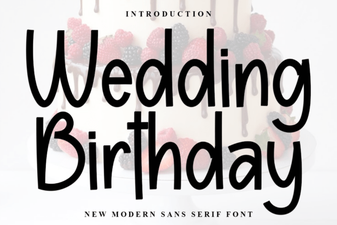 Beautiful Wedding and Birthday Fonts for Every Celebration
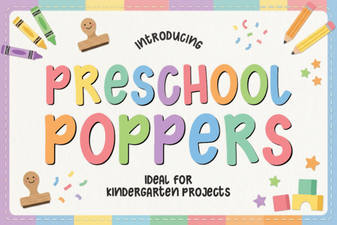 Preschool Poppers Font: Playful Design Ideas for Kids
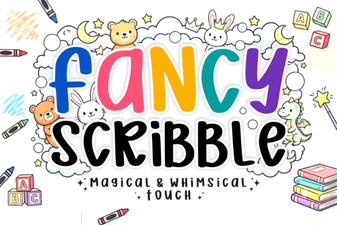 Fancy Scribble Font - Creative Handwritten Display Font Collection
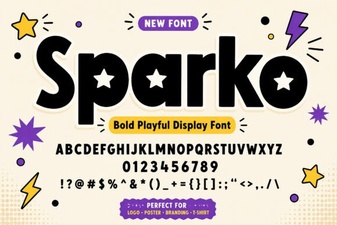 Sparko Font: Creative and Versatile Type for Modern Design
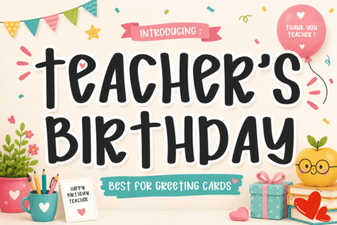 Teacher's Birthday Font Designs for Cards and Posters
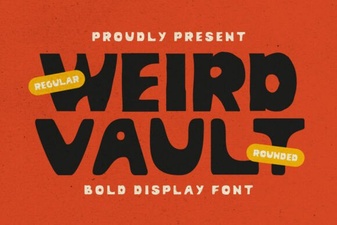 Weird Vault Font – Bold and Quirky Display Typeface for Creative Projects