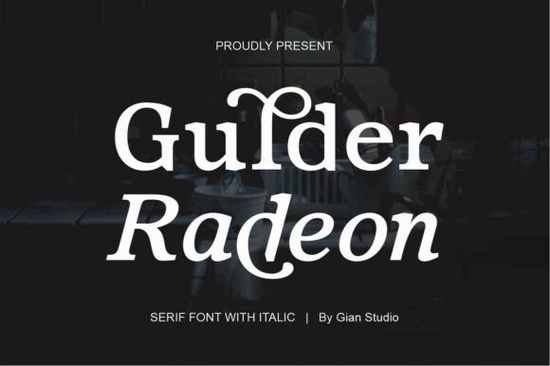
If you've been searching for a serif typeface that balances classic elegance with modern versatility, Gulder Radeon is worth a close look. Designed by Yusliana at Gian Studio, this contemporary serif font comes with both upright and italic styles, making it a practical addition to any designer's toolkit. It includes OpenType features like ligatures, multi-language support, and variable versions that give you more control over how your text looks.
What Makes Gulder Radeon Stand Out?
A lot of serif fonts try to look timeless but end up feeling stiff or outdated. Gulder Radeon avoids that trap. Its swollen stems give each letter a subtle warmth, and the italic version isn't just a slanted copy of the regular the characters are designed to grow naturally with the font's overall style. This attention to detail shows up in the final result, especially in larger sizes like headlines or logo work.
The included variable versions (Regular and Italic) are a nice touch. Instead of being locked into one weight or style, you can fine-tune the look to match exactly what your project needs. For designers who care about typography, that flexibility matters.
Where Can You Use This Font?
Gulder Radeon works well across a wide range of projects. Here are some common uses:
- Editorial design magazine layouts, feature articles, book chapters
- Branding and logos especially for brands that want a refined, established feel
- Packaging design product labels, boxes, and wrapping with a premium look
- Web design website headers, hero sections, and readable body text
- Advertisements print ads, social media graphics, and promotional materials
- Short or long-form text anything from taglines to blog post headers
Whether you're working on a client project or creating designs to sell on print-on-demand platforms, this font adapts to different contexts without looking out of place.
What Files Do You Get?
The download includes everything you need for both web and print use:
- Gulder Radeon Regular OTF and TTF formats
- Gulder Radeon Italic OTF and TTF formats
- Variable Regular and Italic versions for more design flexibility
Having both OTF and TTF means you won't run into compatibility issues, whether you're designing in Adobe Illustrator, Photoshop, Canva, or any other tool that supports custom fonts.
How Does It Compare to Other Serif Fonts?
If you like the style of Gulder Radeon, you might also want to check out a few similar options. Asoga offers a clean serif look that pairs well in editorial layouts. For something with a bit more flair, Andore brings a different personality while still working in professional contexts. Bremlin Italic is a good pick if you specifically need a strong italic serif for emphasis text or elegant branding. And Delbare has its own charm for projects that call for a softer, more approachable serif.
Each of these has its own strengths, so it really depends on the mood you're going for. Gulder Radeon sits in a sweet spot between classic and contemporary, which makes it versatile enough for most projects.
Who Designed Gulder Radeon?
The font was designed by Yusliana and published through Gulder Radeon on Creative Fabrica. Gian Studio handled both the foundry work and design ownership, so the font comes from a dedicated team that focuses on quality type design.
Quick Checklist Before You Buy
- Check your use case Does your project call for a classic yet modern serif?
- Review the license Make sure the Creative Fabrica license covers your intended use (commercial projects, POD, client work, etc.)
- Test the variable versions The variable files give you extra control, so take advantage of them
- Pair it wisely Combine Gulder Radeon with a simple sans-serif for body text to create contrast and readability
- Try it at different sizes Set a headline and a paragraph to see how it performs in both roles
Start by downloading the font, installing it on your system, and testing it in your next project. If it fits the tone you're after, you'll likely find yourself reaching for it again and again.
Get Started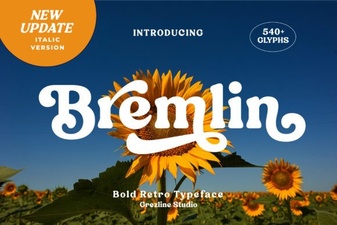 Bremlin Italic Serif Font - Elegant Classic Typeface for Design
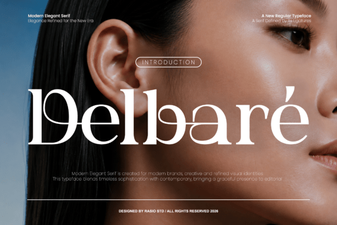 Delbare Font: a Modern Typeface for Creative Projects
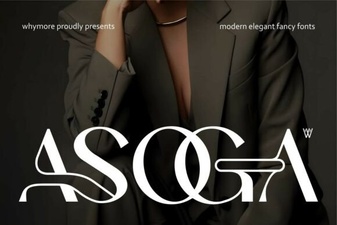 Asoga Font: Clean Modern Typeface for Creative Design Projects
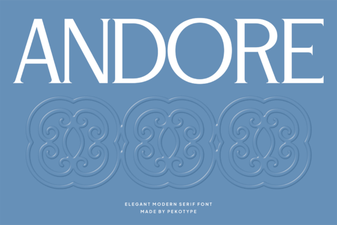 Andore Font: a Modern Typeface for Creative Design Projects
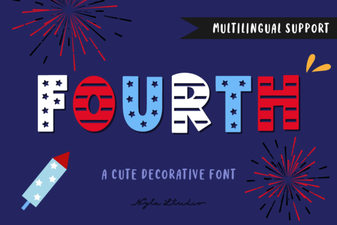 Fourth Font - Bold Decorative Font for Creative Design Projects
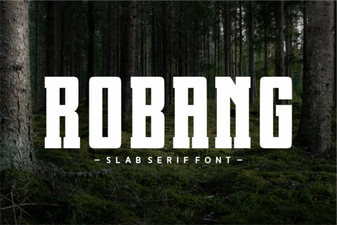 Robang Font: Creative Typography for Modern Design